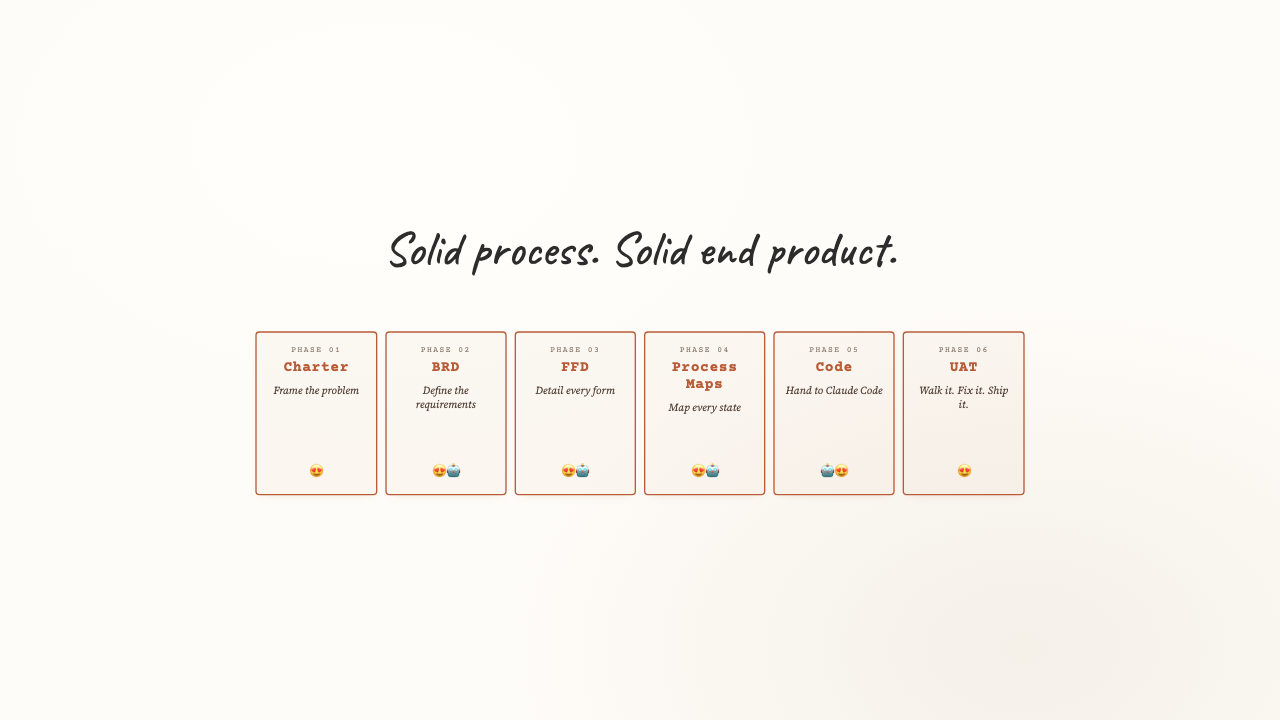
A step-by-step guide to building software with AI — from idea to tested application
Goal: Align everyone on the problem, the customer, and the goal before writing a single line of code.
Direct quotes from your target users reveal the underlying needs that drive every design decision. Every feature you build should trace back to a VOC quote.
"I don't want to get asked for the same thing multiple times."
"Why did you go dark on me?"
"Why did my terms change?"
"Too many cooks in the kitchen — who has the ball right now?"
Don't build for "brokers" — build for Mike. Specific avatars drive specific design decisions.
15 years experience, 6 deals in flight simultaneously. Needs speed and transparency. His pain: chasing status updates, re-uploading the same documents, and discovering at closing that the terms changed.
Reviews 20+ deals per month across a diverse portfolio. Needs a standardized process and quick risk assessment. His pain: inconsistent deal presentation and time spent reading instead of deciding.
Write a day-in-the-life narrative for each avatar. This is where VOC quotes become features.
Mike gets a link to the portal. He clicks "Submit New Deal" and sees a single form — property address, loan amount, sponsor info, deal metrics, and a document upload checklist. Everything is on one page. He fills it out in 20 minutes, uploads his documents, and hits Submit. He gets a confirmation with a reference number. The next day, he logs in and sees his deal status. Two days later, terms arrive. He acknowledges them and the deal moves forward. He never got asked for the same document twice. He never had to chase status updates. His terms didn't change.
VOC solved: #1 (asked once), #4 (never went dark), #5 (status visible), #6 (everything at once)
David opens the portal and sees his pipeline — 12 active deals, 3 pending review. He clicks on a deal and sees 10 completed vetting steps, KPI metrics with Pass/Warn/Flag badges, and all uploaded documents. LTV is flagged at 72%. He clicks "Pass" with a note. The deal moves forward. Later, the AI Underwriter runs and gives him a 62/100 score with a "Needs Review" recommendation and a 3-paragraph narrative explaining why. He makes his decision in 5 minutes without reading a 50-page write-up.
VOC solved: #3 (documented process), #9 (clear ownership)
Sarah opens a deal that just passed terms alignment. All the borrower's documents are in the sidebar — tax returns, P&L, balance sheet, PFS, lease agreements. She clicks the AI button and the system flags the two highest-risk items and asks her 5 targeted follow-up questions. She types her answers and watches the risk score update in real time. When the session completes, she gets a narrative she can attach to the deal summary for the CIO.
VOC solved: #2 (no surprises), #6 (everything in one place)
Goal: Translate the charter's WHY into numbered, testable requirements that drive every build decision.
The property address shall be captured as four separate fields: Street Address, City, State (dropdown), and ZIP Code — all required.
The portal shall provide an 'Acknowledge Terms' action that records acceptance, updates deal status to TAP_COMPLETE, and notifies the underwriting team.
The scoring engine shall calculate the composite risk score using a two-tier weighted model: category-level weights (must sum to 100%) and per-input weights within each category (must sum to 100% within their category).
Before moving to the FFD, open a new Claude conversation, attach the Charter, BRD, and Evaluation Protocol, and run this prompt. The evaluation protocol enforces no-sugarcoat, position-first feedback.
Goal: Break each requirement into developer-ready function specifications with enough detail to build without clarification.
One BRD requirement often produces multiple FF entries. FR-001 (intake form) becomes five separate functions:
| FF-ID | Feature | Function | BRD Ref | Priority |
|---|---|---|---|---|
| FF-001 | Intake form | Render single-page form with property, loan, and sponsor sections | FR-001 | Must Have |
| FF-002 | Document checklist | Display required documents with upload slots and completion status | FR-001 | Must Have |
| FF-003 | Form validation | Validate all required fields on blur; show inline error on empty submit | FR-001 | Must Have |
| FF-102 | Config renderer | Fetch form field config from API; render fields dynamically from JSON schema | FR-001 | Should Have |
| FF-103 | Intake fields API | GET /api/intake/config returns field definitions, validation rules, and options | FR-001 | Should Have |
Open a new Claude conversation, attach the BRD, FFD, and Evaluation Protocol, and run this prompt.
Goal: Trace the exact flow of data and decisions so developers and testers share the same mental model.
Every deal status transition must be explicit. No "orphan" statuses — every state has a defined entry condition and exit path.
Goal: Build the application incrementally, one file at a time, with precise instructions that minimize AI drift.
Without all three, the AI will make decisions you haven't made. That's how bugs appear in code you didn't touch.
An actual prompt from the HDF portal build. The prior version was hallucinating loan amounts because the prompt didn't pass explicit values.
| Sprint | What Was Built |
|---|---|
| Sprint 1 | Authentication (NextAuth), database schema (Prisma + PostgreSQL), role system: Broker, CIO, Underwriter, Admin |
| Sprint 2 | Broker intake form, document upload (S3), deal submission + reference number generation, broker status dashboard |
| Sprint 3 | CIO pipeline dashboard, deal detail view, KPI vetting with Pass/Warn/Flag badges, terms sending + acknowledgment |
| Sprint 4 | AI vetting engine, two-tier composite risk scoring model, scoring configuration UI for Admin |
| Sprint 5 | Underwriting workflow, AI session (start, continue, complete), session resumability, narrative generation |
| Sprint 6 | UAT bug fixes, role-based access hardening, email notifications, performance tuning, production deployment |
Build one file. Test it. Confirm it works. Move to the next. Never ask the AI to build multiple files in a single prompt — it will hallucinate connections between them and create subtle bugs that are hard to trace.
Use this prompt once — at the very start — to orient Claude to the full project before any code is written. Attach all four documents.
Goal: Verify that every requirement works as the actual user, not the developer, before calling it done.
Drop your name and email below. If you have an idea you want to try, share it — or if you're not sure how to set up Claude, ask for Jeremy's Quickstart with Claude guide
Short walkthroughs for each step. Tip: open the video on YouTube in another tab so you can scroll this page to follow along.